Why it exists
Serial debugging is often treated as a stream of text: open a port, watch data move, and scroll until something looks wrong. That works for a quick check, but it becomes difficult when a device produces multiple kinds of messages, values need to be compared over time, or a useful session needs to be saved and revisited.
Serial Space is my ongoing attempt to make that work feel more deliberate. I am building it as a Windows desktop workspace for embedded engineers, hardware developers, firmware teams, and IoT creators who need to inspect live serial traffic without losing the context around it.
What I built
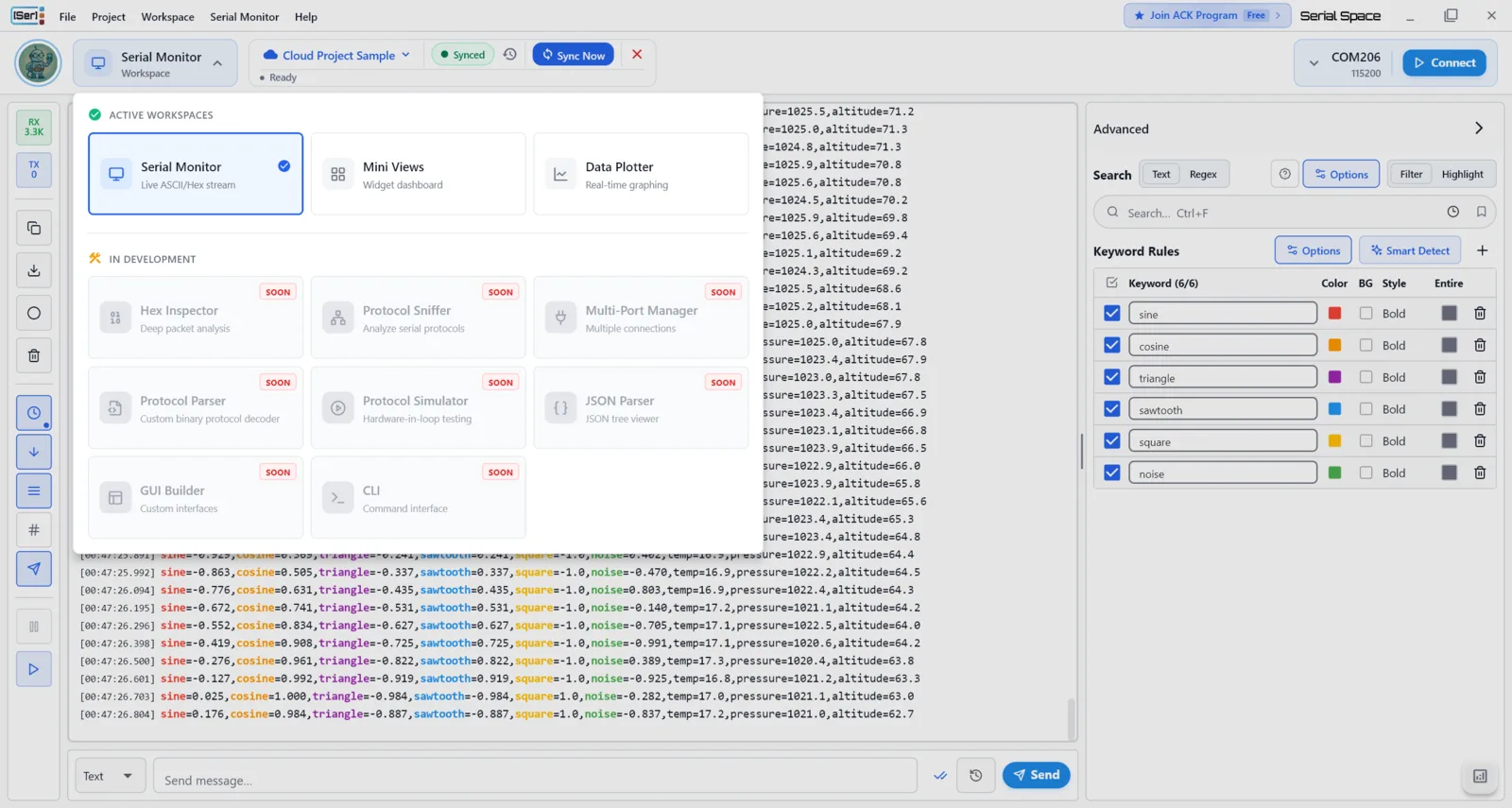
At its core, Serial Space connects to Windows COM ports and keeps real-time transmit and receive traffic visible with timestamps and direction markers. The product is organized around projects, so connection settings, display preferences, keyword rules, and focused views can stay connected to the work they support.
The workspace is designed to help turn a noisy stream into something readable and usable:
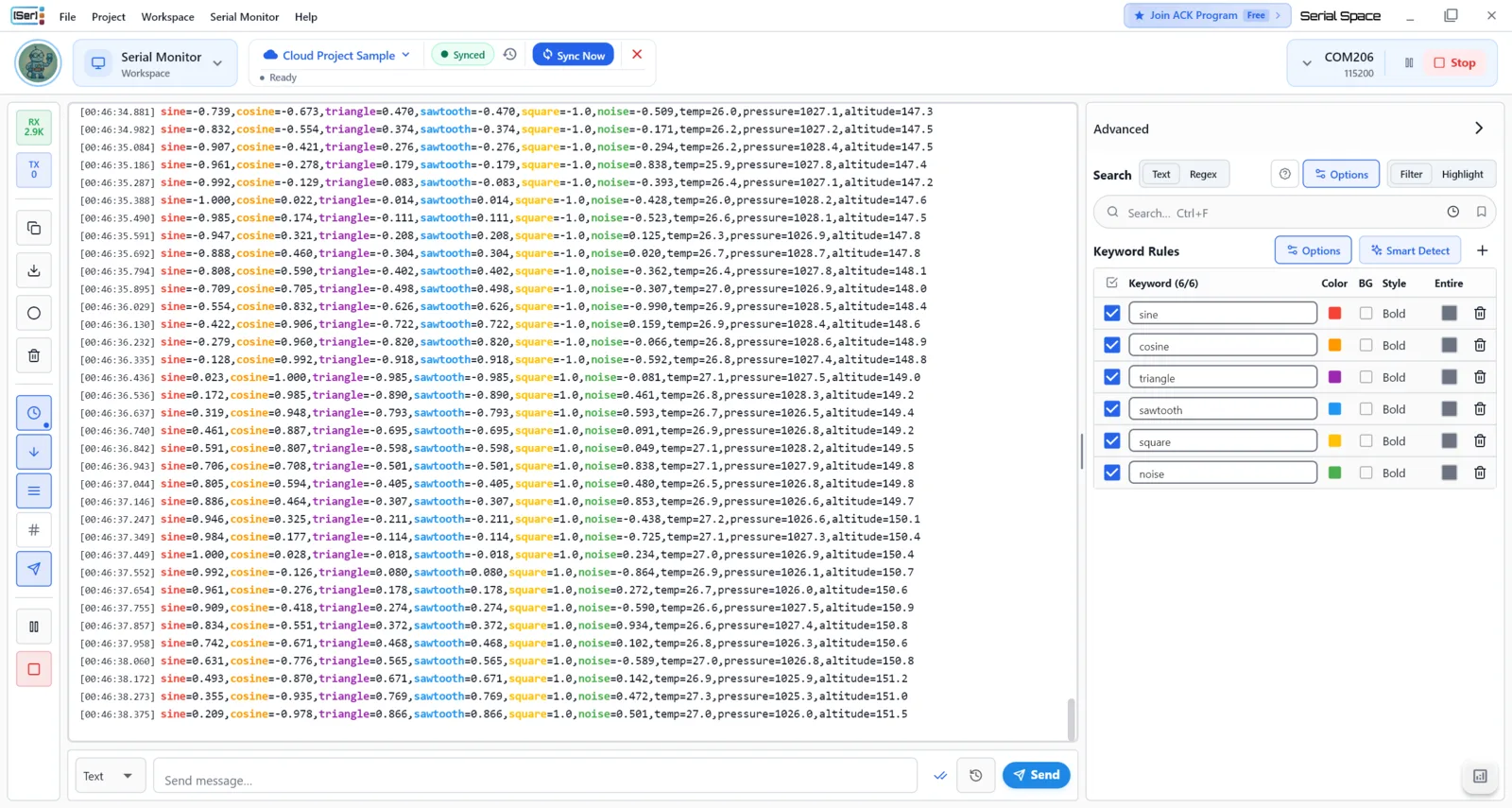
- Serial Monitor keeps the live TX/RX conversation in view while supporting search and selection.
- Keyword rules highlight, filter, or trigger actions from matched text, including case-sensitive, whole-word, and regular-expression matching.
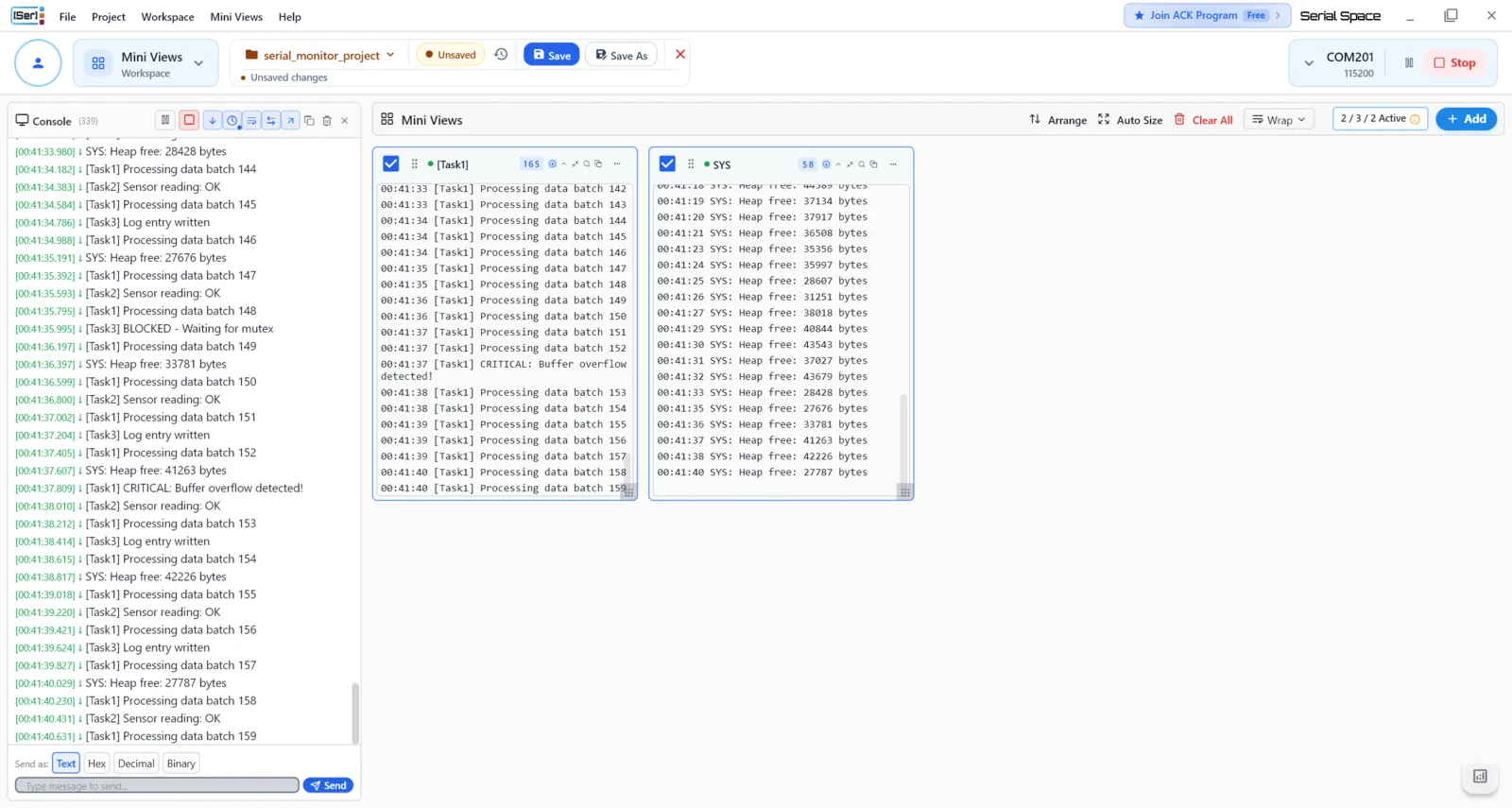
- Mini Views create focused panels from one shared serial connection, each with its own filtering, search, and display settings.
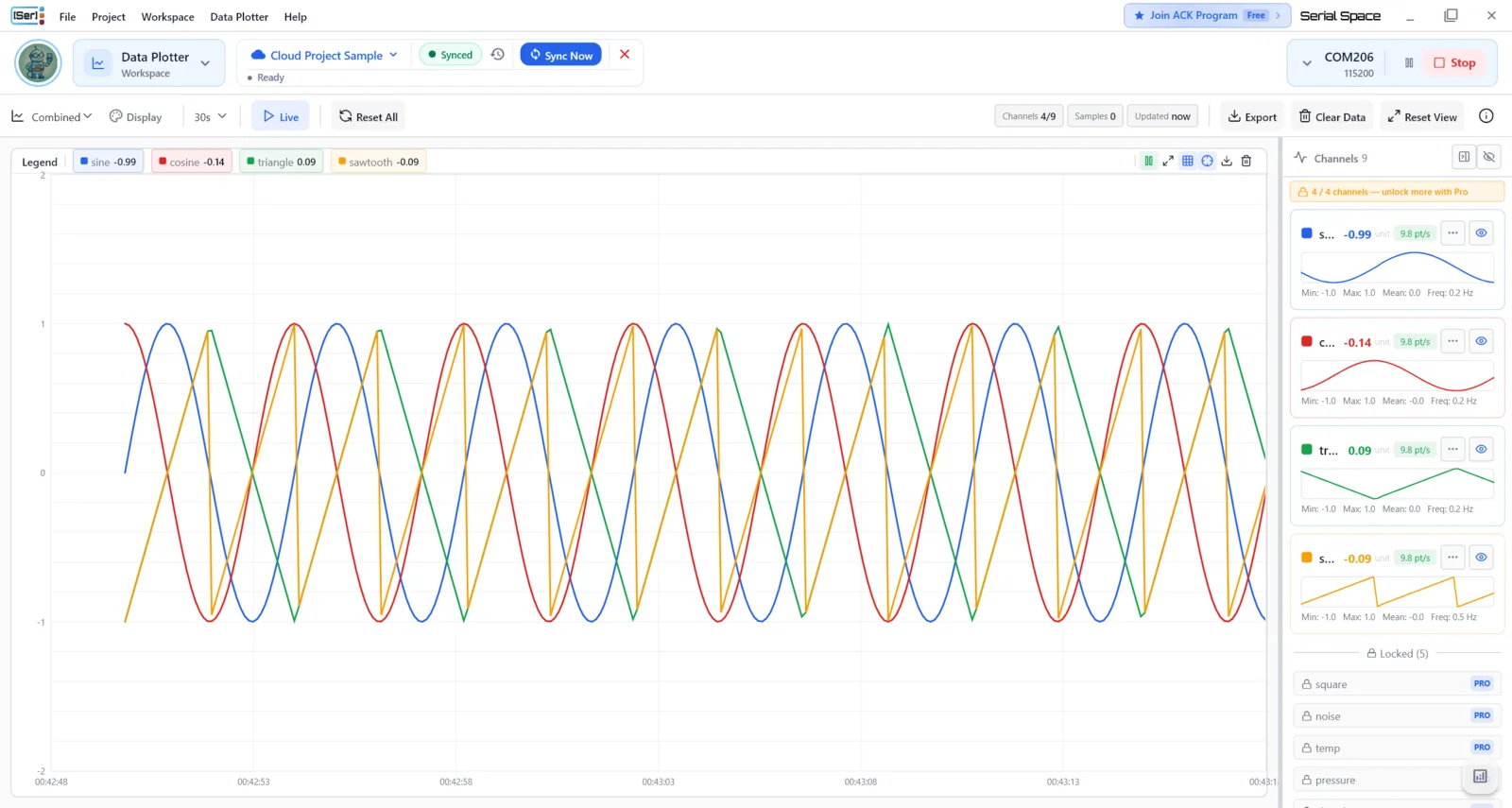
- Data Plotter turns live numeric serial values into configurable line, bar, or scatter charts.
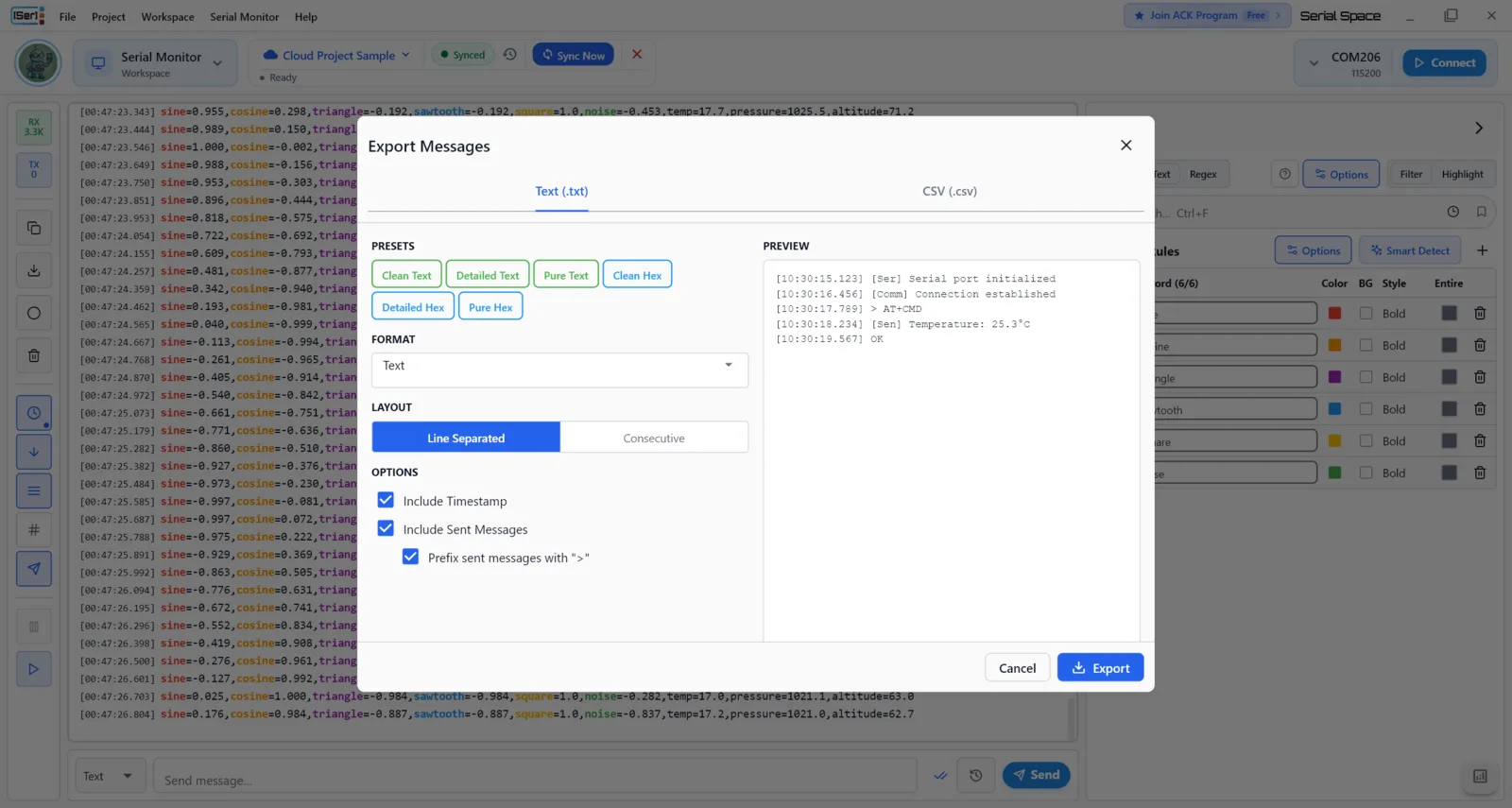
- Log, export, and copy tools preserve useful output through timestamped logging, file exports, and copy behavior that can be adjusted for the destination.
- Saved searches make repeat investigations easier to return to across sessions.
I chose Flutter and Dart for the Windows desktop application, with Riverpod for state management, libserialport for serial I/O, and fl_chart for live charting. The intent is not to replace the simplicity of a terminal; it is to provide a more structured place to investigate devices when the terminal alone stops being enough.
Current state
Serial Space is in active development. The documented development version is 1.2.0+0.
The current work is centered on improving the serial-monitoring workspace and the workflows around it. Additional workspace ideas, including structured JSON viewing, byte-level inspection, multi-port monitoring, command-line support, protocol tools, and customizable dashboards, are documented as planned or in-progress work—not completed features.
The Microsoft Store link is included above as part of the project record. This case study does not make a claim about the current store listing, availability, or release status.